Given that Fluid is having this disagreement with Gears, I thought I’d try creating a Mozilla Prism-based SSB instance for Google Reader. There’s a nifty theme for Reader called Helvetireader that I was using with Fluid. It also works with Prism but the instructions on this page didn’t work for me.
I had to take the webapp.css file from the helvetireader.webapp (which is just a zip archive) and drop it into the Prism instance (at /Applications/Helvetireader/Contents/Resources/webapp/). You could also just directly create this file – it’s contents are just a CSS import as described in that last link.
Unlike the Fluid-based SSB, Prism instances seem to require extensions, plugins and themes separately, i.e. per-instance. I guess this is a good thing and avoids the kind of snarl that Gears and Fluid are having.
Yet another incarnation of the impending Firefox 3.5 release, although it doesn’t seem to be up at the normal beta version download site which still has 3.5b4. Apparently, if you download 3.5b4 and then do an in-browser Check For Updates you’ll be fixed up proper.
ClickToFlash is a nice little Flashblock-type plugin for Safari with one big problem. Two, actually.
- you can’t leave feedback for the developer without creating a (free) account on the project website. Dude, I just wanted to tell you about #2…
- the only way I could find to get into the whitelist and preferences for the plugin is via a page with Flash that isn’t already blocked (there’s a little control on the blocker that gets you in). However, if you’ve already whitelisted the page there’s no way to get back in and un-whitelist it without going to another site with Flash. Worse, if you’ve whitelisted it in Fluid (a single-site browser application instance of Safari) there’s no hope at all of making any changes. You are stuck.
You need to get a preference pane in the main application fast.
One thing about ClickToFlash compared to Flashblock: as I’ve cranked about a few months ago, the Flash media player on MySpace doesn’t load properly in Firefox when you tell Flashblock to unblock. However, with ClickToFlash in Safari there’s no such problem. You click, it appears. Flashblock developers say this is a known bug in the Mozilla code which I should point out nobody seems to be working on. The Flashblock bug was logged October 2008, the Mozilla bug March 2009 and the feedback comments run in circles. It’s also suggested that the problem is with the Flash player but ClickToFlash on Safari doesn’t have the same issue.
Score one more for Safari.
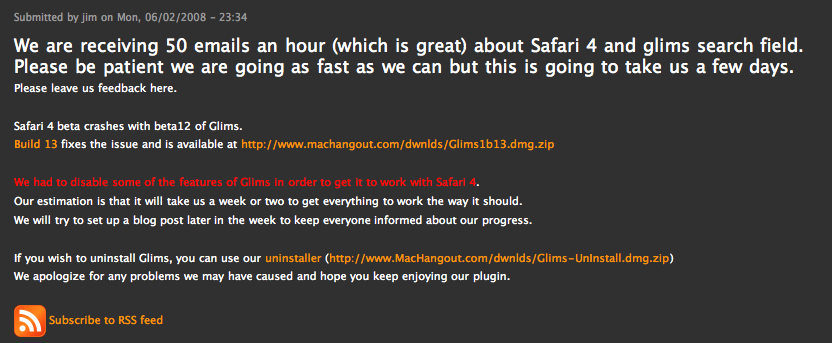
Well, looks like I can retire WebKit for a little while. The Safari developers have released a beta of version 4. I had a bit of trouble starting it at first (Mac OSX 10.5.6). It was the Glims plugin which was crashing it. I removed it from /Library/Application Support and Safari started up nicely.
Update: Turns out Google Gears doesn’t work in this Safari 4 beta.
Update 2: The Glims developers have release a new version which doesn’t crash Safari, but is missing a chunk of functionality.
Update 3: Safari, even in the development WebKit nightlies exhibited an irritating “bug” with the WordPress 2.7 administrative interface. It would cause a modal overlay dialog to hang. The dialog appears when editing a post with the visual editor (e.g. add a link, upload images, etc.). This is still quite present in 4 beta.
Update 4: (June 11, 2009) The bug mentioned in Update 3 with the modal dialog has been fixed in Safari 4.
I use my Macbook Pro constantly. My freelance work demands having a computer available all the time (I’m a tech guy for hire – I used to do systems admin full-time). I had a desktop workstation at one point which I built from scratch and I also had a Dell Inspiron 7500 way back. What a back-breaker that was. The MBP is a great machine – solid, powerful and decked out with plenty of peripheral ports (it’s a 2007 model). Since I knew I’d be using it so much, I wanted to minimize any risk of downtime. So I bought the AppleCare extended 3-year warranty. Yeah, I know…it’s a questionable move. But I had a similar extended warranty with the Inspiron back in 2000 and I didn’t regret it. Like, what do you do when the keyboard falls apart? Or the optical drive stops working…
Read the rest of this entry »